Key takeaways
- Learn how to choose a TV at Costco with confidence: screen size, panel type, HDR, ports, sound and setup checks to make before you commit to a model today.
Buying a television inside a large warehouse store can feel rushed. The screens are bright, the aisle is busy, and several similar models often sit side by side with near-identical shelf tags. A calmer approach works better: decide your screen size, panel type, and connection needs at home first, then use your visit simply to confirm which model matches the plan you already made.
This guide walks through that preparation step by step. It explains how viewing distance shapes size, how panel technology affects everyday picture quality, which ports and sound options matter, and what to verify about delivery, setup, and support before you commit. No single model is right for every room, so the goal here is a clear checklist you can trust.
As an Amazon Associate we earn from qualifying purchases.
How to Choose
Start With Viewing Distance and Screen Size
Measure the distance from your main seat to the wall or stand where the television will sit, and write that number down before you shop. As a general guide, a closer seat suits a smaller screen, while a longer room can carry a larger one without the picture feeling overwhelming. Also measure the width of your stand or wall space, including room for the feet or mount. A screen that fits the room on paper can still fail if the stand is too narrow or a doorway limits how you carry it in.
Pick a Panel Type for Your Room Light
Panel technology shapes contrast, brightness, and viewing angles more than almost any other choice. Rooms with controlled light reward panels known for deep black levels and strong contrast, while bright rooms with large windows benefit from higher brightness and screens that resist reflections. If your seating spreads wide across the room, viewing angle matters too, because viewers at the sides see a weaker picture on some panels. Think honestly about when you watch most: daytime sports, evening films, or a mix of both throughout the week.
Check HDR Format and Motion Handling
High dynamic range, usually shortened to HDR, describes how a television handles bright highlights and shadow detail at the same time. Different models support different HDR formats, so check that the format used by your favourite streaming services and disc player matches what the screen accepts. Motion handling matters if you watch fast sport or play games, because it affects how smooth moving images look. Look for clear information about refresh behaviour on the box or specification sheet rather than relying on vague marketing terms printed in large type.
Count Ports, Sound, and Smart Features
List every device you plan to connect: a streaming box, a game console, a soundbar, a disc player, and perhaps an antenna. Count the HDMI inputs you need today, then add one spare for the device you have not bought yet. Check whether the set supports an audio return channel if a soundbar is part of your plan. Built-in speakers vary widely, so decide in advance whether you will rely on them or add separate sound. Finally, confirm the smart platform carries the apps your household actually opens every day.
Screen Size in Real Rooms
Small Rooms and Second Screens
In a bedroom, kitchen, or small study, comfort matters more than sheer scale. A modest screen viewed from a short distance can look sharp and clear, and it leaves space for other furniture. Consider how close you will sit when the screen shows text, such as news tickers or game menus, because small text reveals the limits of a lower resolution quickly. A compact set is also easier to mount safely, move between rooms, and carry home without help from another person.
Living Rooms and Family Viewing
The main living room usually hosts the widest mix of content, from daytime news to evening films and weekend sport. Seating often spreads across sofas and chairs at different distances, so the screen must serve the farthest regular seat without overwhelming the nearest one. Viewing angles become important here, because family members rarely sit perfectly centred. Think about glare from lamps and windows during your normal viewing hours, and about where a soundbar or speakers will sit once the screen is in place.
Large Rooms and Dedicated Media Spaces
A long room or a dedicated media space can justify the largest screens, but size alone does not guarantee a good experience. Sound needs more attention as rooms grow, because dialogue can feel thin when speakers sit far from the audience. Seating layout, screen height, and cable routing all deserve planning before the set arrives. Measure doorways, hallway turns, and stairwells along the delivery path, since a very large box must travel that whole route without being forced or twisted at an awkward angle.
Picture Quality Beyond the Headline Numbers
Resolution and What You Actually Watch
Most large televisions today use a 4K resolution, which suits streaming films, broadcast sport, and modern game consoles well. Resolution only tells part of the story, though. The quality of the source matters just as much: a well-made programme in a lower resolution can look better than a poor-quality stream in a higher one. Your home internet connection and streaming settings also shape the final picture. When you compare screens in the aisle, remember that bright showroom lighting and vivid display modes flatter every set equally.
Brightness, Contrast, and Black Levels
Brightness helps a television hold up in daylight and makes HDR highlights stand out, while contrast gives images depth and shape. Black levels decide how convincing night scenes and dark film sequences look. A screen can be very bright yet still show grey, washed-out shadows if its contrast control is weak. If films matter to you, ask how the panel handles dimming across different zones of the picture. If daytime viewing dominates, reflection handling and sustained brightness across the whole screen deserve more weight in your decision.
Colour Accuracy and Display Modes
Televisions ship with several picture modes, and the brightest mode in a store is rarely the most accurate one at home. Look for a mode described as film, movie, or filmmaker style if you value natural colour and correct skin tones. Sports modes often add processing that some viewers enjoy and others find artificial. The useful question is not which mode wins in the aisle, but whether the set provides a mode you will happily live with every evening. Menus should be easy to reach and simple to adjust.
Connections, Gaming, and Everyday Use
HDMI Inputs and Audio Connections
Modern households connect more devices than they expect. A console, a streaming player, a cable or satellite box, and a soundbar can fill the ports of a modest set very quickly. Check the number and position of the HDMI inputs, because side-facing ports are far easier to reach on a wall-mounted screen. An audio return channel lets the television send sound to a soundbar through a single cable and keeps remote control simple. Optical audio output remains useful for older audio equipment that lacks newer connections.
Gaming Features Worth Checking
Players should look beyond screen size. Input lag describes the delay between pressing a controller button and seeing the result, and lower is better for responsive play. Some sets support variable refresh features that keep motion smooth when a console’s frame rate changes during a game. Check which HDMI inputs accept the full capability of your console, because on some models only certain ports do. Automatic game modes that switch settings when a console is detected remove repeated trips into the settings menu.
Antennas, Apps, and Home Networks
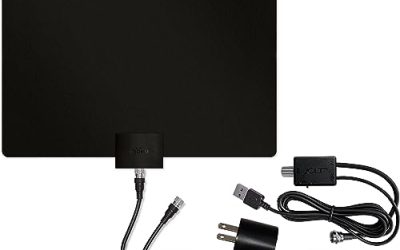
If you watch broadcast channels through an antenna, confirm the television includes a tuner and think about where the antenna will sit. Built-in smart platforms differ in app selection, menu speed, and how often they receive updates, so confirm your essential services are present. A wired network connection gives streaming a stable path when wireless coverage is weak in the viewing room. Voice control and phone casting are convenient extras, but they should never outweigh picture quality, the right size, and the connections you need daily.
Before You Commit: Practical Checks
Membership, Paperwork, and Support Questions
Costco publishes a Technical and Warranty Services area on its official website covering televisions and related support, and members can ask the membership desk or check that official page for the current terms that apply to a purchase. Do that checking before you buy rather than after a problem appears, and keep your receipt and membership record together in one place. Write down the exact model number from the box, because similar model names can differ in features. Photographing the shelf tag and the box label helps you confirm you received the set you intended.
Delivery, Transport, and the Path Home
Decide how the television travels home before you reach the checkout. Large screens should stay upright and supported during transport, and the original box is worth keeping through the first weeks in case the set must be moved again. If delivery is arranged instead, confirm who brings the box inside, where it will be placed, and what you should inspect before signing. Check the screen for visible damage while the packaging is still open, and keep all protective film and accessories until setup is complete and the picture is confirmed working.
Setup Day: Mounts, Stands, and Cables
Confirm whether your existing mount matches the mounting pattern on the back of the new screen, and whether your stand is wide and strong enough for its feet. Gather the cables you need in advance, including a spare HDMI lead, so setup does not stall halfway. Plan where power sockets sit relative to the screen, and avoid trailing leads across walkways. Once the set is running, update its software, choose a natural picture mode, and spend a few evenings with familiar programmes before judging the result too harshly.
Which One Fits Your Situation
You Mostly Watch Films in a Dark Room
Prioritise contrast and black levels over maximum brightness. A panel that holds deep, even blacks makes night scenes look convincing and keeps letterbox bars unobtrusive. Choose a size that fills your view from your main seat without forcing your eyes to travel. Add a soundbar or speakers if dialogue feels thin, and favour a natural film picture mode for accurate colour during evening viewing sessions.
Your Room Is Bright and Seating Is Wide
Brightness and reflection control come first in a sunlit room, because a dim screen disappears behind window glare. Viewing angles matter just as much when chairs spread across the space, so check how the picture holds up from the side seats you actually use. A mid-to-large size helps daytime sport stay clear for everyone. Matte-style screen finishes and careful placement opposite windows can improve the result as much as the panel itself.
You Play Games Several Times a Week
Look for low input lag, a dedicated game mode, and HDMI inputs that accept the full output of your console. Variable refresh support keeps motion smooth when frame rates shift mid-game. Size should match your playing distance, since a screen that is too large for a close desk or chair can make fast games tiring. Sound through a headset or soundbar keeps late sessions considerate for the rest of the household.
You Want a Simple Second Television
For a bedroom, guest room, or kitchen, keep the decision simple. A smaller screen with a clear picture, the apps you use, and enough ports for one or two devices is usually plenty. Easy setup and a straightforward remote matter more here than advanced picture processing. Check the stand footprint against your furniture, and confirm the viewing angle works from where you will actually sit or lie while watching.
Common Mistakes
- Choosing a screen size from the aisle instead of measuring your seating distance and stand width at home first.
- Judging picture quality only by the brightest display mode under store lighting, which no home room reproduces.
- Counting the devices you own today and forgetting the console, player, or soundbar you plan to add later.
- Skipping the paperwork: not checking the current support and return terms on the retailer’s official channels before buying, and not keeping the receipt with the model number recorded.
- Forcing an oversized box through a tight doorway or laying a large screen flat in a vehicle during the trip home.
Frequently Asked Questions
Do I need a membership to buy a television at Costco?
Costco is a membership warehouse club, and warehouse shopping generally requires an active membership, while some online categories follow their own rules. Because membership terms can change, check the official Costco website or ask at the membership desk before a major purchase. Confirming eligibility in advance avoids a wasted trip and lets you plan who will make the purchase.
How do I check warranty and return terms for a television?
Start with the official Costco website, where the Technical and Warranty Services area covers televisions and related support, and confirm the terms that apply at the time you buy. Keep your receipt and record the model and serial numbers after setup. If anything is unclear, ask the membership desk before purchasing rather than relying on summaries written by third parties.
Which screen size should I choose for my living room?
Begin with the distance between your main seat and the screen position, then match size to that distance and to the width of your stand or wall. A screen should feel immersive without making you turn your head to follow the action. Measure doorways and hallways too, because the largest sets must travel safely through your home before they can be enjoyed.
What should I inspect when the television arrives?
Check the box for crushing or punctures before accepting it, then inspect the screen for cracks or damage once it is opened. Power the set on, confirm the picture and sound work, and test every input you plan to use. Keep the packaging and accessories until you are fully satisfied, because returning or moving a large screen is far easier with its original box intact.
FAQ
Do I need a membership to buy a television at Costco?
How do I check warranty and return terms for a television?
Which screen size should I choose for my living room?
What should I inspect when the television arrives?
More from Amazon
Programs that pair well with the guide above. Offers and eligibility are set by Amazon and may change.
Free shipping on eligible items, Prime Video and more. Eligible new members can start with a free trial.
Start a Prime free trialAudiobooks and podcasts to listen to on the go. Eligible new members can start with a free trial.
Try Audible freeAd-free music streaming. Eligible new subscribers can start with a free trial.
Try Music Unlimited freeA free business account with business pricing and bulk-buying tools for work, shop or home office.
Create a business accountAs an Amazon Associate we earn from qualifying purchases.